Copilot for Sales Pricing: Complete Guide to Licenses and ROI
Enterprises are scrutinizing Copilot for Sales Pricing as budget cycles begin. Consequently, finance leaders demand clear licensing paths, transparent costs, and rapid payback. This guide delivers evidence-based answers and an execution blueprint.
Moreover, executives need concrete Dynamics 365 AI Cost benchmarks to justify investments. Meanwhile, microsoft copilot adoption hinges on disciplined change management and governance. Therefore, we unpack pricing, licensing, ROI, and rollout best practices in detail.
Navigating Enterprise Pricing Landscape
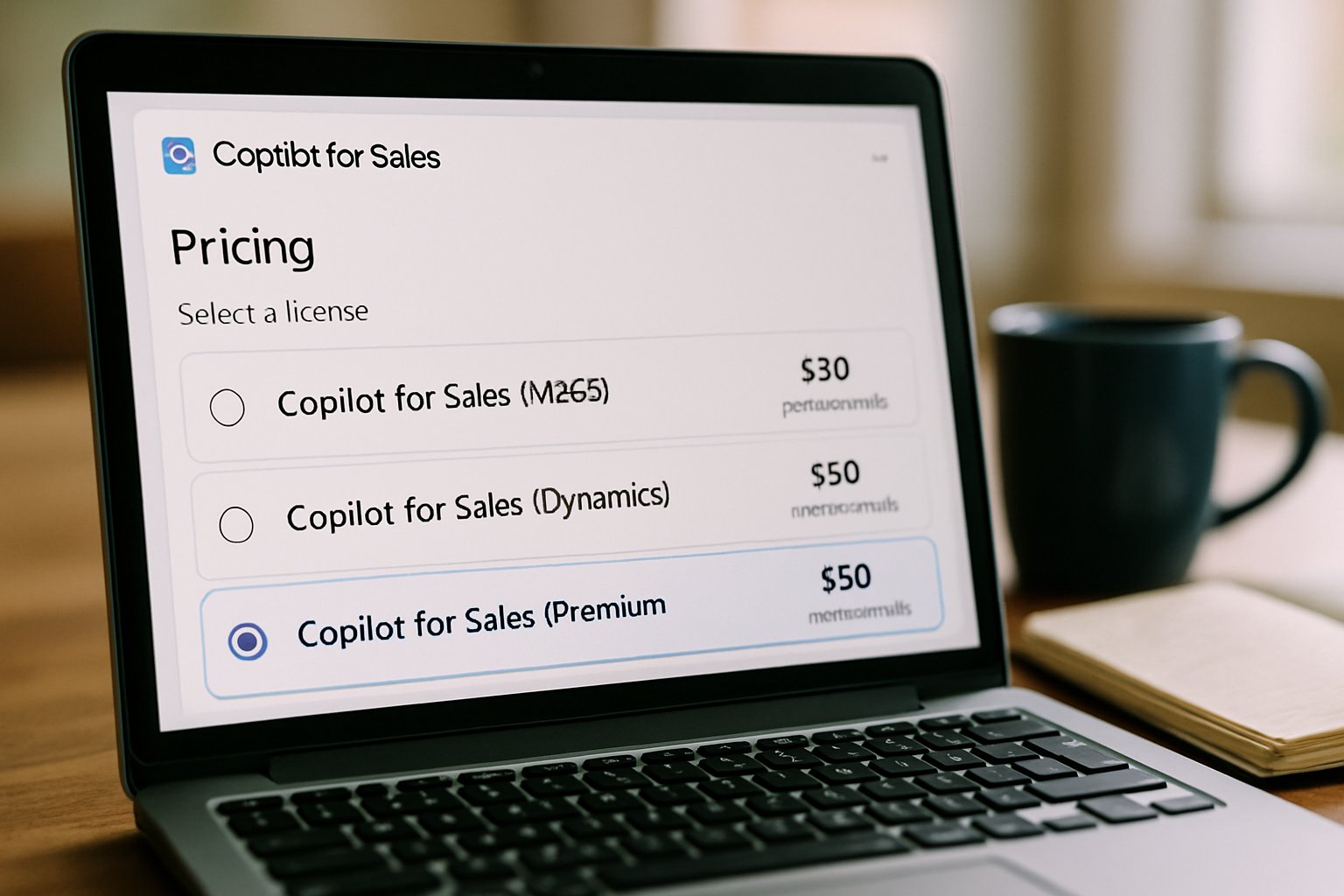
Historically, Microsoft listed the Sales agent at fifty dollars per user monthly. However, autumn 2025 introduced agent bundling through the new Microsoft 365 Agent Store. Consequently, many enterprises watched SKUs regroup and shift beneath existing agreements.
For current accuracy, always confirm contract pricing with your Microsoft account team. Moreover, partner CSP channels sometimes surface promotional discounts or ECIF funding. Such levers reduce upfront spend and improve internal approval odds.
In short, pricing remains fluid yet controllable with due diligence. Next, we zoom into Copilot for Sales Pricing variables.
Copilot for Sales Pricing
Copilot for Sales Pricing depends on a base Copilot entitlement and the Sales agent add-on. Currently, Microsoft publishes two commercial paths. Option one bundles Microsoft 365 Copilot with the Sales agent for fifty dollars per user. Alternatively, existing Microsoft 365 Copilot users attach the Sales agent for roughly twenty dollars.
Dynamics 365 Sales Premium customers need an extra step. They must purchase Microsoft 365 Copilot or the bundled offer to unlock full features. Therefore, license mapping by role avoids costly over-provisioning.
Understanding these pathways shields budgets from surprise escalations. Subsequently, licensing intricacies intersect with Dynamics requirements.
Key Dynamics Licensing Considerations
Dynamics 365 AI Cost influences total spend more than many budget owners expect. Specifically, CRM edition, storage tiers, and integration workloads affect the final bill. However, Microsoft documents clarify entitlement links between Dynamics licenses and Copilot agents.
Enterprises running Salesforce still face Dynamics connector charges for rich Copilot capabilities. Consequently, a mixed CRM estate can raise Dynamics 365 AI Cost unless optimized. Adoptify’s license readiness gate benchmarks each scenario and flags wasted seats early.
Taming these variables protects margins and accelerates approvals. Ignoring Copilot for Sales Pricing can derail Dynamics budgeting. Meanwhile, economic modeling clarifies expected returns.
Critical Adoption Economics Framework
Boards often demand quantified payback before funding AI pilots. Forrester’s TEI study modeled 125% to 468% ROI over three years. Moreover, sellers reclaimed about ninety minutes weekly, raising quota coverage.
Adoptify mirrors this model during its ninety-day pilots to validate assumptions. Telemetry captures minutes saved, opportunity velocity, and pipeline expansion. Therefore, finance teams see live data, not vendor brochures.
Key Payback Modeling Steps
- Estimate training hours per role using Forrester benchmarks.
- Project seller time savings with conservative ranges.
- Quantify revenue lift from faster opportunity cycles.
- Subtract Dynamics 365 AI Cost and support spend.
This disciplined math secures executive approval without hype. Next, we examine compliance and risk factors.
Governance And Risk Controls
Copilot agents surface sensitive mail, documents, and CRM insights. Therefore, Purview DLP simulation and scoped indexing become essential. Additionally, Microsoft 365 admin center lets security teams approve or block marketplace agents.
Adoptify’s AdaptOps governance gate codifies these controls and accelerates CISO sign-off. Consequently, microsoft copilot adoption scales without risking data leakage. Purview dashboards flag anomalies, while exit scripts support deprovisioning.
Clear visibility into Copilot for Sales Pricing strengthens security-finance collaboration. Robust governance unlocks trust and long-term sustainability. Following governance, execution tactics matter.
Key Implementation Best Practices
Successful programs follow a gate-based rollout. Discover assesses data, licenses, and use cases. Pilot launches with fifty to two hundred sellers and heavy telemetry.
Scale expands seats while embedding role training and micro-learning. Embed finalizes SOP inclusion, certifications, and quarterly optimization loops. Moreover, linking adoption KPIs to performance reviews cements behavior.
Copilot for Sales Pricing should remain visible during each gate to keep finance aligned. Meanwhile, microsoft copilot adoption metrics inform expansion pacing.
Methodical execution minimizes surprises and accelerates ROI. Finally, leaders must measure outcomes objectively.
Measuring Enterprise ROI Outcomes
Telemetry proves or disproves forecasted savings quickly. Adoptify dashboards track minutes saved, agent adoption, and revenue impact in real time. Furthermore, finance analysts can convert these signals into payback curves inside Power BI.
Copilot for Sales Pricing feeds directly into the cost column of the model. Dynamics 365 AI Cost and training spend fill the remaining expense rows. Consequently, leadership sees a transparent total cost of ownership picture.
Accurate measurement sustains confidence amid evolving agent features. We now recap core lessons and explain the Adoptify advantage.
Conclusion
Copilot for Sales Pricing, licensing alignment, and disciplined governance unlock huge seller productivity. However, lasting value requires structured rollout, transparent metrics, and continuous training. Adoptify AI delivers that structure with AI-powered digital adoption, interactive in-app guidance, intelligent user analytics, and automated workflows. Furthermore, the platform accelerates onboarding, boosts productivity, and scales securely across global enterprises. Therefore, teams move from pilot to enterprise embed faster and with proven ROI. Explore Adoptify AI today at Adoptify.ai and transform seller workflows.
Frequently Asked Questions
- What is Copilot for Sales Pricing and how does it work?
Copilot for Sales Pricing integrates a base Copilot entitlement with a Sales agent add-on, offering transparent pricing paths. It aligns with Dynamics 365 requirements and supports rapid ROI measurement using detailed user analytics. - How does Adoptify AI support digital adoption in enterprise sales workflows?
Adoptify AI enhances digital adoption by delivering interactive in-app guidance, micro-learning for role-based training, and real-time telemetry on seller productivity. These features ensure a smooth transition and rapid user embrace of innovative workflows. - How can I optimize licensing for Dynamics 365 AI Cost?
Match user roles with appropriate Dynamics licensing to reduce unnecessary costs. Adoptify AI’s license readiness gate identifies wasted seats and ensures optimal licensing, minimizing Dynamics 365 AI Cost while accelerating payback. - What are the best governance practices during Copilot adoption?
Adoptify’s AdaptOps governance framework ensures secure Copilot adoption using Purview dashboards, scoped indexing, and exit scripts. These measures protect sensitive data and maintain compliance while supporting disciplined rollout and change management.

FEATURED
How to Identify and Overcome Cultural AI Adoption Barriers
March 3, 2026
FEATURED
What Are the Most Common AI Adoption Challenges for Businesses
March 3, 2026
FEATURED
The Complete Guide to Building an AI Adoption Framework for 2026
March 2, 2026
FEATURED
Who Owns the Intellectual Property in Enterprise AI Adoption
March 2, 2026
FEATURED
7 Reasons To Embrace AI-Native Architecture
March 2, 2026