Build Pro Slides Faster with Copilot in PowerPoint
Deck deadlines keep shrinking. Yet executive standards keep rising. Consequently, presentation teams need faster, smarter tools. Copilot in PowerPoint now delivers that speed by turning documents, data, and brand templates into polished slides in seconds. Enterprises that combine the AI engine with disciplined adoption practices see dramatic time savings and stronger narratives.
However, simply switching on the feature rarely drives lasting impact. Many pilots stall when users lack guidance, governance, or clear metrics. Moreover, competing tools like Canva or Google Gemini tempt teams to sidestep corporate standards.
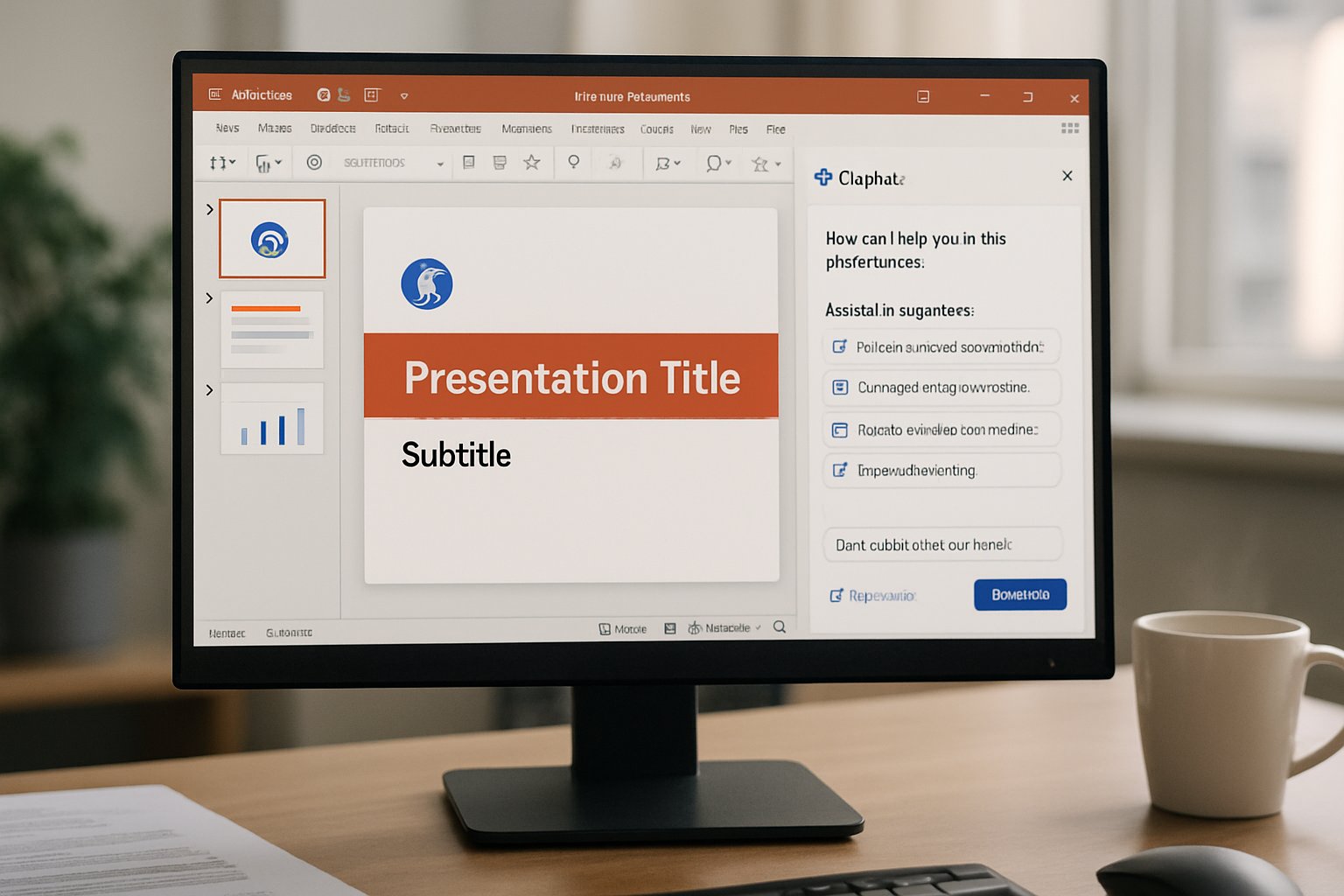
This guide shows digital leaders, HR trainers, and IT onboarding teams practical steps. We explain how to build professional presentations fast, measure real ROI, and scale usage responsibly. Insights blend Adoptify AI field data, Microsoft roadmaps, and analyst research.
Why Speed Truly Matters
Analysts report knowledge workers spend nearly a day each week building slides. Furthermore, executives demand faster turnaround for board packs, sales pitches, and training decks.
Microsoft’s “11-by-11” study shows small daily savings add big annual gains. Consequently, reducing draft time even by fifteen minutes per deck frees significant capacity.
Consultancies using automation report 20–30% less effort on routine slide tasks. Tools like Copilot in PowerPoint cut drafting hours without adding design debt. Those results arrive only when tools align with governance and training.
Public sector trials mirror these benefits. A UK study found twenty-six minutes saved daily when AI drafted presentations.
Speed unlocks talent for higher-value thinking and storytelling. Effective accelerators therefore deserve structured investment.
This sets the stage for mastering Copilot.
Mastering Copilot in PowerPoint
The latest release adds Narrative Builder, on-canvas editing, and speaker note generation. Moreover, users can ground prompts with up to five files, including Excel data.
Adoptify AI experts recommend starting each prompt with audience, objective, slide count, and data sources. For example, “Create a ten-slide board update using Q4_results.xlsx and our OrgTemplate.potx.”
Unlike generic AI Presentation Maker tools, this workflow keeps brand integrity by pulling assets from the Organizational Asset Library. Meanwhile, Designer enhances visuals without leaving PowerPoint.
Users can now request live data charts from Excel links. Consequently, updated numbers flow automatically into generated slides.
Remember to review Copilot drafts for facts and brand tone. Human oversight prevents costly errors.
Combining precise prompts and brand assets yields strong first drafts quickly. Next, organizations must frame structured pilots.
Pilot Framework For Success
Successful microsoft copilot adoption hinges on clear scope, executive sponsorship, and measurable outcomes. Adoptify AI’s AdaptOps loop provides a proven four-phase model.
- Discover: Identify high-impact decks where Copilot in PowerPoint saves time.
- Pilot: Enable 50–200 users, instrument KPIs like time-to-first-draft.
- Scale: Expand licenses after hitting target metrics and user sentiment goals.
- Embed: Integrate prompts, templates, and dashboards into standard operating procedures.
Adoptify AI claims pilots deliver ROI within 90 days when metrics track draft speed and review cycles. Furthermore, structured change programs raise usage by up to 40%.
During the pilot, run weekly office hours and micro-learning bursts. Consequently, champions resolve friction before it spreads.
Include legal and compliance observers early. Their feedback prevents later approval delays.
A disciplined pilot proves value, derisks rollout, and secures funding. The next challenge involves brand and design control.
Design And Brand Guardrails
Brand teams fear off-brand fonts, colors, and imagery. However, PowerPoint now respects Organizational Asset Libraries and single-master templates.
First, store approved themes, icons, and images centrally. Then instruct Copilot in PowerPoint to use that template by name.
Secondly, enable Purview simulation to flag sensitive data before generation. This proactive check avoids regulator warnings.
Moreover, Designer’s alt-text suggestions improve accessibility, satisfying WCAG guidelines without extra work.
Finally, mandate a human sign-off checklist covering data accuracy, brand compliance, and image licensing. That review adds minutes, not hours.
Governed content keeps decks trustworthy, on-brand, and compliant. With visuals secured, attention shifts to prompt craft.
Prompt Engineering Best Practices
Specificity beats verbosity. Therefore, include audience, narrative arc, desired visuals, and length in every prompt.
Store reusable prompt templates inside your AI Presentation Maker library. Teams then avoid reinventing instructions for each deck.
Meanwhile, adopt version control for prompts. Short monthly audits ensure guidelines reflect new features and brand updates.
For multilingual decks, ask Copilot in PowerPoint to translate speaker notes and text. Verify cultural nuances with local reviewers.
Store failures as learning examples. Teams then avoid repeating ineffective phrasing.
Prompt discipline accelerates drafts and reduces revisions. Measuring the impact validates the effort.
Measuring Real Business ROI
Time-to-first-draft, revision counts, and presenter prep time provide concrete signals. Moreover, connect Power BI dashboards to capture metrics automatically.
Adoptify AI dashboards compare current baselines with post-pilot performance. Consequently, leaders see quantified savings, and Copilot in PowerPoint shortens draft cycles versus baseline.
When data confirms success, microsoft copilot adoption scales confidently across additional departments.
Forrester’s TEI models indicate ROI can exceed 100%. However, internal tracking beats external projections.
Track qualitative sentiment too. Surveys reveal confidence gains and reduced slide anxiety among presenters.
Clear metrics secure budget and trust for wider rollouts. Governance then must keep pace.
Governance At Enterprise Scale
Growth without guardrails invites risk. The EU AI Act demands transparency, logging, and human oversight.
Adoptify AI’s governance templates codify DLP policies, prompt audits, and exit strategies. Therefore, enterprises avoid vendor lock-in and compliance gaps.
Simulate policies during early pilots. Subsequently, enforce them through Power Platform automation and regular audits.
Finally, label AI-generated slides clearly. Stakeholders then understand content provenance.
Quarterly reviews align policies with evolving global regulations. Therefore, risk remains continuously monitored.
Mature governance sustains trust at scale. We now conclude with key points and next steps.
Conclusion
Copilot in PowerPoint now transforms deck creation from a draining chore into a strategic catalyst. By pairing disciplined pilots, strong governance, and thoughtful prompt libraries, enterprises achieve measurable results faster than rival AI Presentation Maker options. Moreover, structured microsoft copilot adoption ensures every team benefits, not just early enthusiasts.
Why Adoptify AI? Our AI-powered digital adoption platform delivers interactive in-app guidance, intelligent user analytics, and automated workflow support. Consequently, organizations enjoy faster onboarding, higher productivity, and enterprise-grade security at scale.
Ready to operationalize Copilot workflows? Visit Adoptify AI and accelerate your next presentation revolution.
Frequently Asked Questions
- What are the key benefits of using Copilot in PowerPoint for presentations?
Copilot in PowerPoint transforms documents, data, and templates into polished slides rapidly, saving time and reducing revisions. This tool enhances digital adoption by providing in-app guidance and integrating automated design support. - How do disciplined pilot programs enhance successful digital adoption?
Structured pilot programs define clear scope, measurable KPIs, and governance frameworks that drive time savings and ROI. This disciplined approach leverages in-app guidance and user analytics to ensure effective AI adoption. - How does Adoptify AI support organizations in their AI-driven workflow transformation?
Adoptify AI delivers interactive in-app guidance, intelligent user analytics, and automated support for integrating tools like Copilot. These features streamline digital adoption and empower teams to optimize presentation workflows efficiently. - Why are governance and design guardrails important in AI-powered presentation tools?
Governance and design guardrails maintain brand consistency, compliance, and data security. They ensure AI-generated slides meet quality standards while reducing risks, reinforcing trust in digital adoption with automated alerts and in-app analytics.
FEATURED
Artificial intelligence adoption: Inbox zero with Copilot
February 3, 2026
FEATURED
Artificial intelligence adoption: myths leaders must crush
February 3, 2026
FEATURED
Establishing Ethical Artificial Intelligence Adoption Guidelines
February 3, 2026
FEATURED
Artificial Intelligence Adoption: Models, Skills, ROI
February 3, 2026
FEATURED
20-Point Artificial Intelligence Adoption Readiness Checklist
February 3, 2026